Contents
1. Description
Follow this procedure to create a task in Zendesk. Tasks are where you will create follow-up tracking actions for your ongoing customer cases. For each ticket, create one task and update that same task as you progress.
Top
2. Rules
This is a case management function only.
Top
3. Procedure
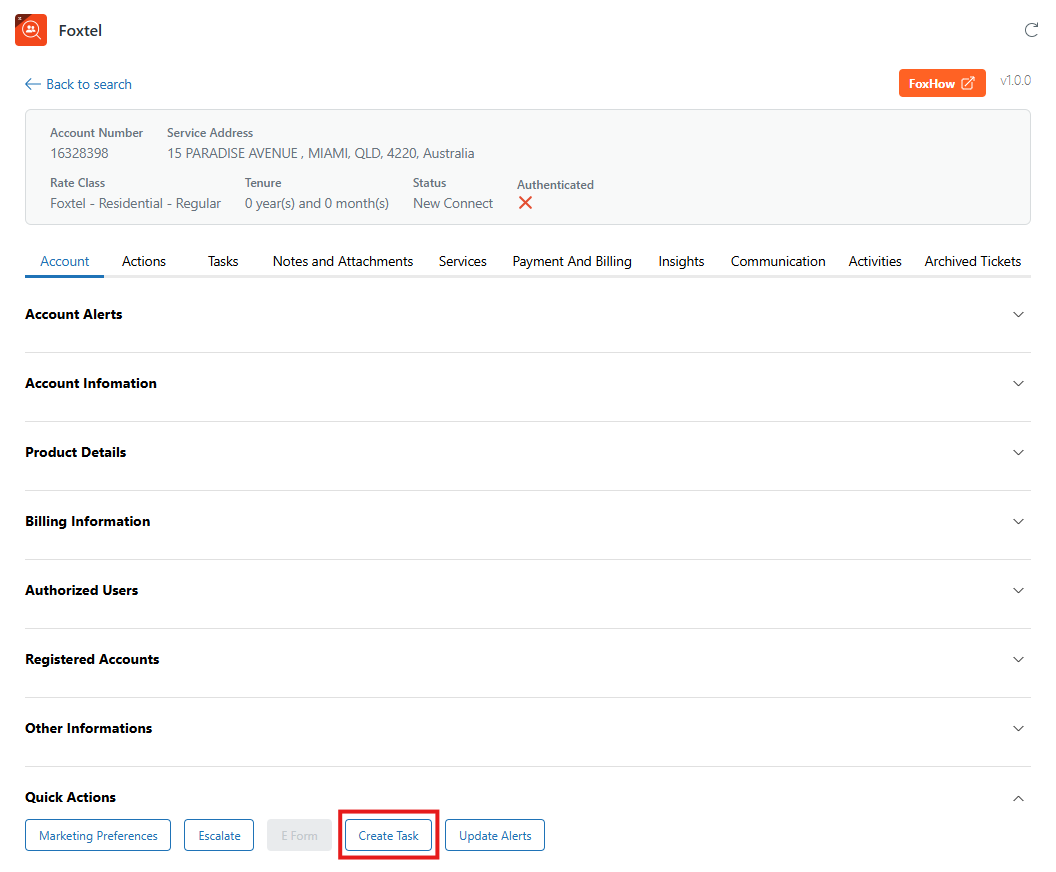
- From the Account tab, select Create Task under Quick Actions.
- Enter the subject and description of the case you are managing for the customer.
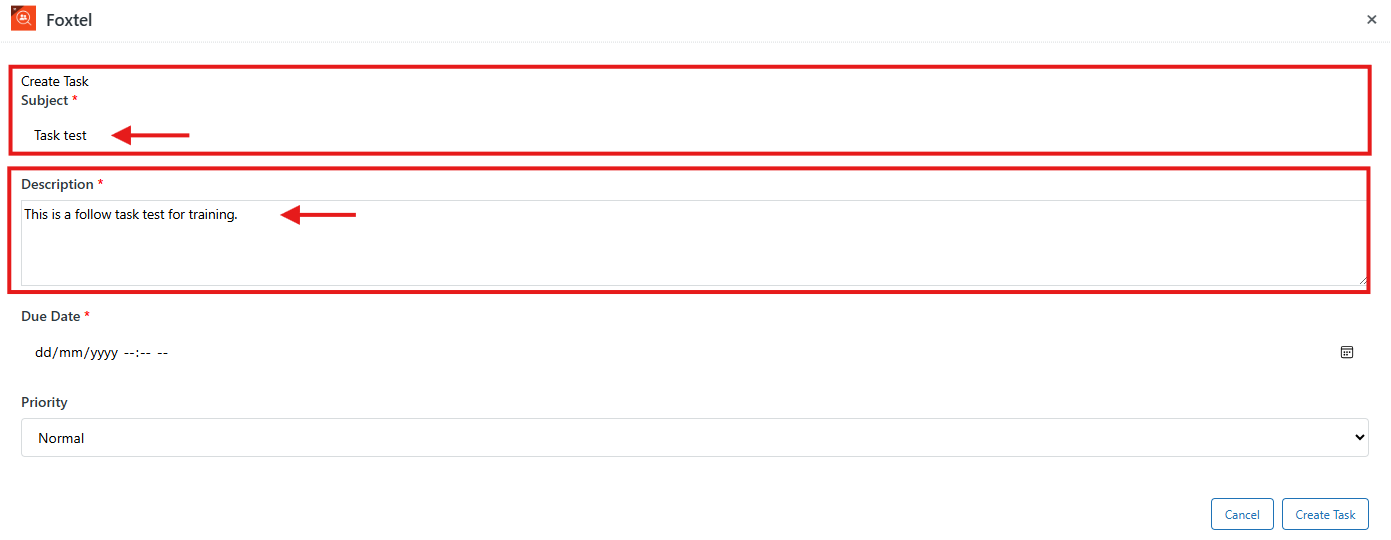
Note: Keep a similar naming convention to the ticket itself. and ensure it encapsulates the issue the customer is experiencing.
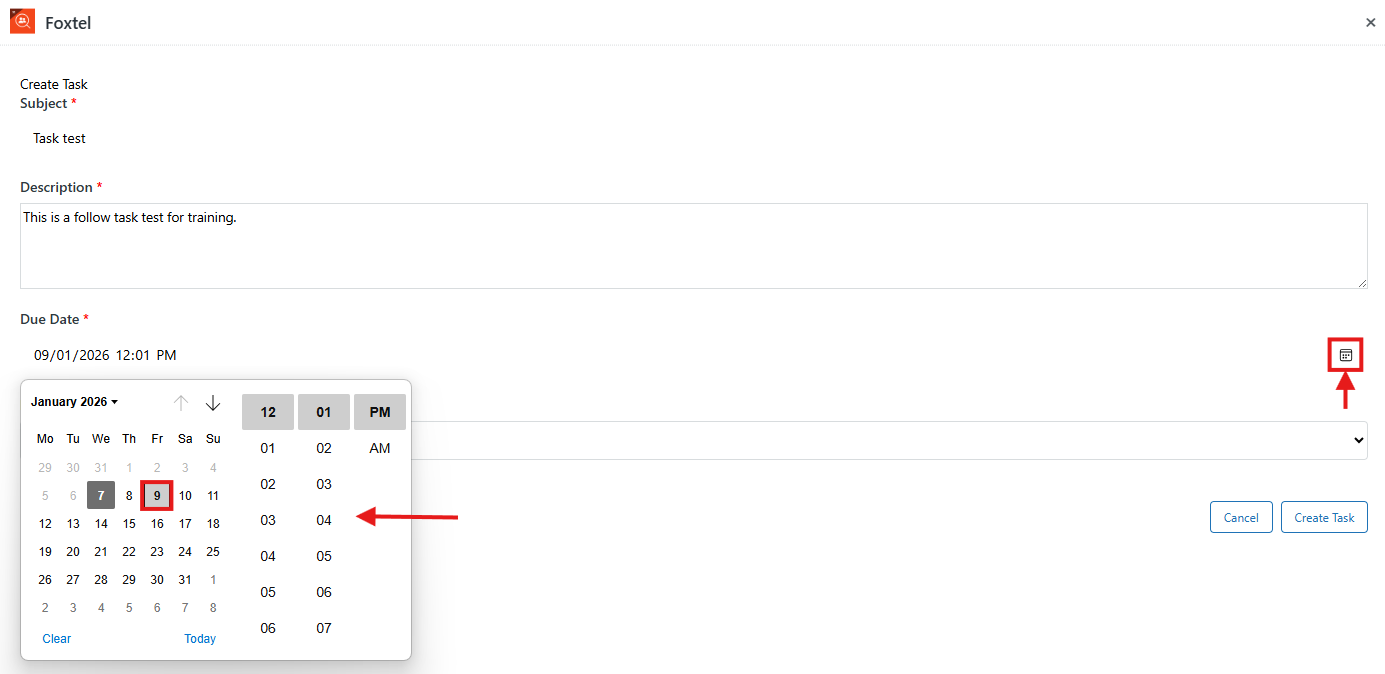
- Click the calendar icon in the task screen, then select the appropriate follow-up date.
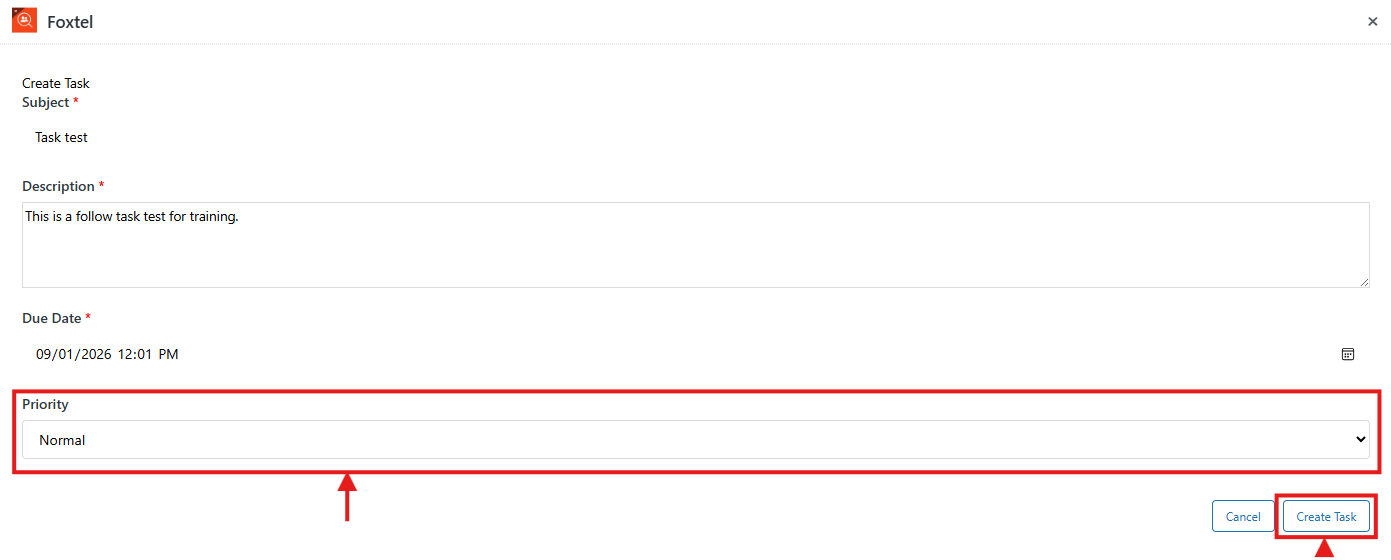
- Set the priority status of your task. Once you're ready to create the task, select Confirm.
End of procedure.