Contents
1. Description
This procedure will outline how to arrange a flexible payment arrangement for a customer in Zendesk.
2. Rules
Payment plans:
Eligibility
Foxtel may offer a payment plan if the customer has an overdue balance or is on RSP (Reduced Service Package). To be eligible, the customer must:
- be able to pay a minimum of 50% of the overdue balance owing on the call
- pay the remaining balance within 2 weeks
- not had a payment plan within the last 3 months
If the customer is on NPS (Non-Pay Suspension), Foxtel may offer the customer an extended payment plan, which will give the customer 6 weeks to pay the outstanding balance and avoid further collection activity. However, the service will not be restored on an extended payment plan.
Netflix billed by Foxtel
Payment plans do not extend to Netflix billed by Foxtel. This means that if payment for a customer's Netflix is outstanding, their Netflix may be disconnected while on a Foxtel payment plan.
Payment plan results
If a customer enters into a payment plan and makes payments as per the agreement, then the customers service will remain active and the collections events will be extended to allow for the specified payments.
For Foxtel TV customers, if payment plans are not kept, or if the customer has broken the payment plan, then the customer's service will be reduced and collection events will continue.
For Broadband and Home phone customers, if payment plans are not kept, or if the customer has broken the payment plan, Foxtel will provide at least 5 business days notification in writing, then the customer's Broadband and/or Home phone service will be restricted or disconnected, and collection events will continue.
Payment extensions:
Not available to customers on an RSP
Payment extensions can only be offered to customers who are not yet on an RSP (Reduced Service Package).
Only 2 extensions per 6-month period
A maximum (TL or SME may review under special circumstances) of 2 payment extensions can be placed per 6-month period.
Payment must be made in full within 14 days
If an extension is applied, full payment must be received within 14 days of the original due date or the customer's service may be restricted.
3. Procedure
- Navigate to the Actions tab, then select Billing Actions.
- Select Flexible Payment Arrangement.
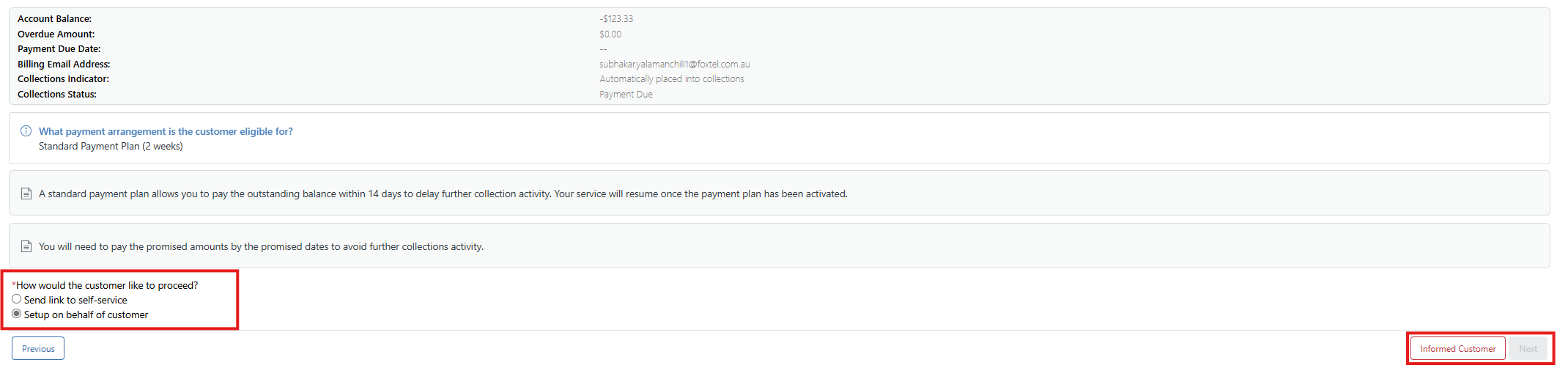
- Confirm the customer’s eligibility by reading the onscreen script available. Each of the steps within this process will prompt you to click Informed Customer, which will then turn the button green. Then, click Next.

The second screen outlines the payment arrangement timeframe and key business rules. Confirm whether the customer would like to set it up via self-service or have you complete it on their behalf. Select Informed Customer, then click Next.
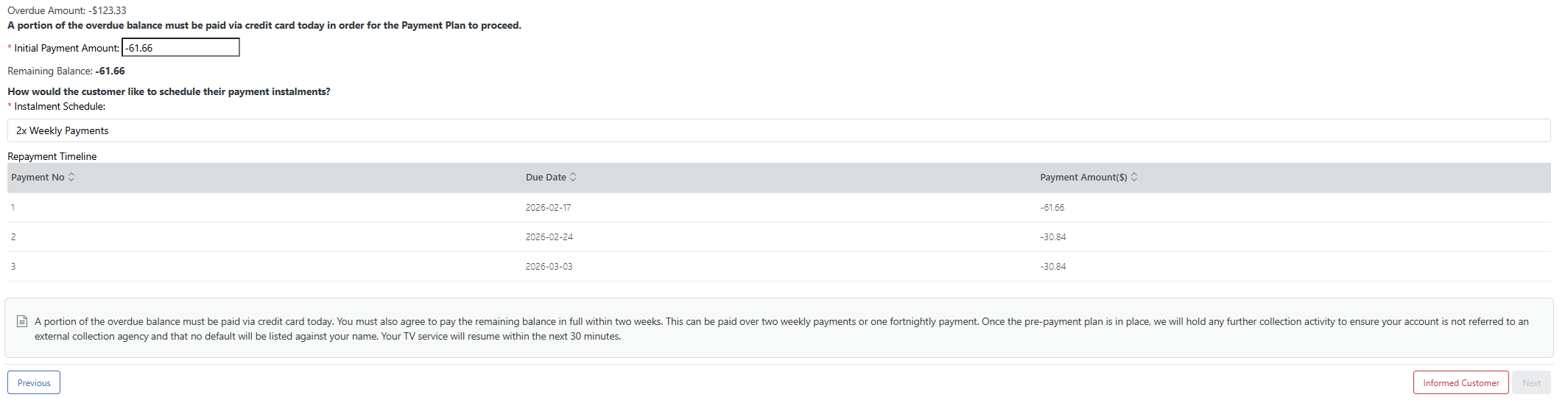
- The next screen breaks down the customer’s outstanding balance by instalment. The first amount shown is the payment due during the current interaction. This screen also includes the required scripting to read to the customer. Select Informed Customer, then click Next.
- You will then need to collect the customer’s initial payment for the arrangement. Launch the Payshield process to confirm the payment method. Once completed, select Informed Customer, then click Next.

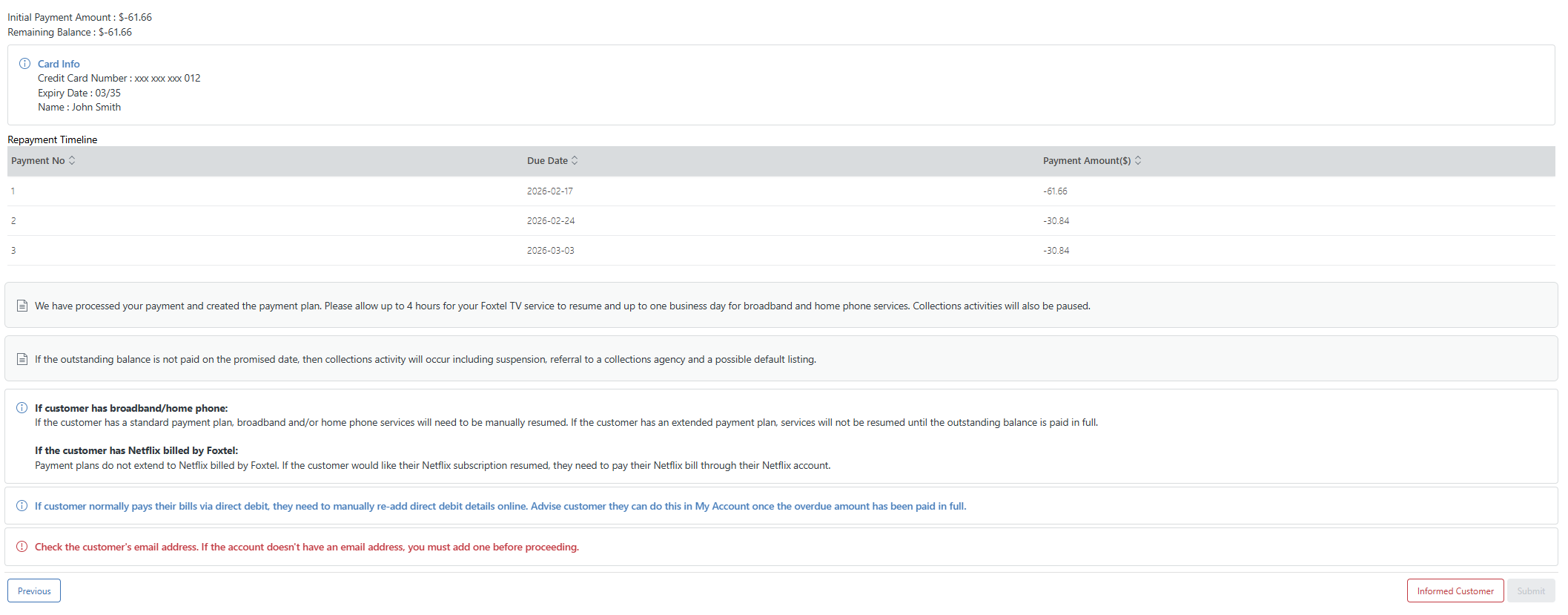
- The final step summarises the agreement for you to confirm with the customer, and includes the required scripting you must read. To complete the process, select Informed Customer, then click Submit.
End of procedure.