1. What’s changing with the ABC iView app and why?
2. What will this change look like?
3. What will customers need to do differently after this change?
4. How do customers unlink their iQ from the ABC iView app?
5. Where can customers go if they need additional support?
2. What will this change look like?
3. What will customers need to do differently after this change?
4. How do customers unlink their iQ from the ABC iView app?
5. Where can customers go if they need additional support?
1. What’s changing with the ABC iView app and why?
On Thursday 3 August, the way customers access content in the ABC iView app will change, and customers will now need to sign-up for a free ABC account and log into the ABC iView App on the iQ box to view content in the app.
An ABC Account will unlock features that will improve the customers ABC iView experience. Customers will be able to access their Viewing History, save favourite programs by creating a Watchlist and Continue Watching programs across all their devices without losing their place.
ABC iView through Foxtel new features include:
On Thursday 3 August, the way customers access content in the ABC iView app will change, and customers will now need to sign-up for a free ABC account and log into the ABC iView App on the iQ box to view content in the app.
An ABC Account will unlock features that will improve the customers ABC iView experience. Customers will be able to access their Viewing History, save favourite programs by creating a Watchlist and Continue Watching programs across all their devices without losing their place.
ABC iView through Foxtel new features include:
- Continue Watching
- Watchlist
- Sub-profiles
- Recommendations
2. What will this change look like?
From Thursday 03 August, when customers open the ABC iView app for the first time they will be taken to a get started landing page and will need to follow the prompts.
ABC iView App landing page on the iQ Box

From Thursday 03 August, when customers open the ABC iView app for the first time they will be taken to a get started landing page and will need to follow the prompts.
ABC iView App landing page on the iQ Box
Top
3. What will customers need to do differently after this change?
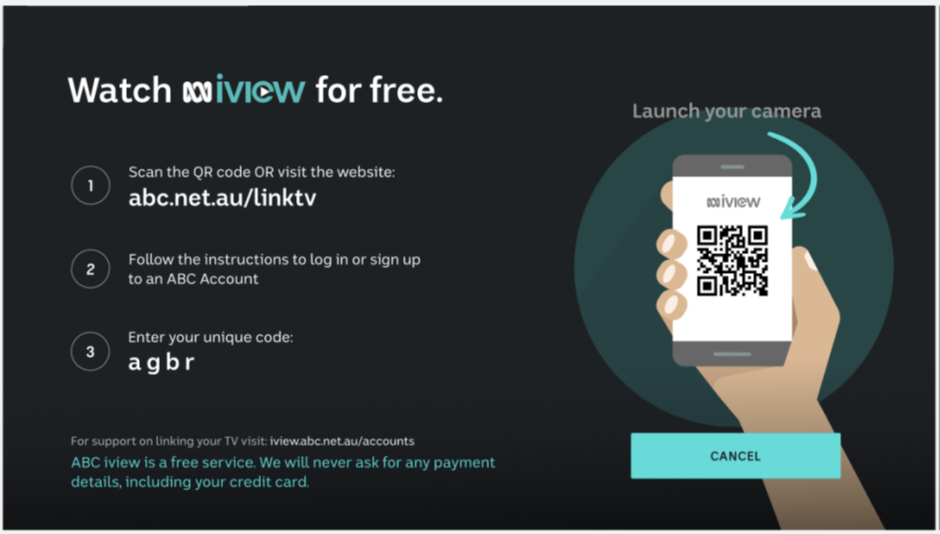
To get started customers can head online at abc.net.au/linktv then follow the prompts to create or log into an existing ABC account. Alternatively, open the ABC iView App on the Foxtel box, then scan the QR code with a phone to head to the ABC Log in/Sign-up page, then follow the prompts to create or log into an existing ABC account.
ABC iView App QR code link tv page on the iQ Box
Top
4. How do customers unlink their iQ from the ABC iView app?
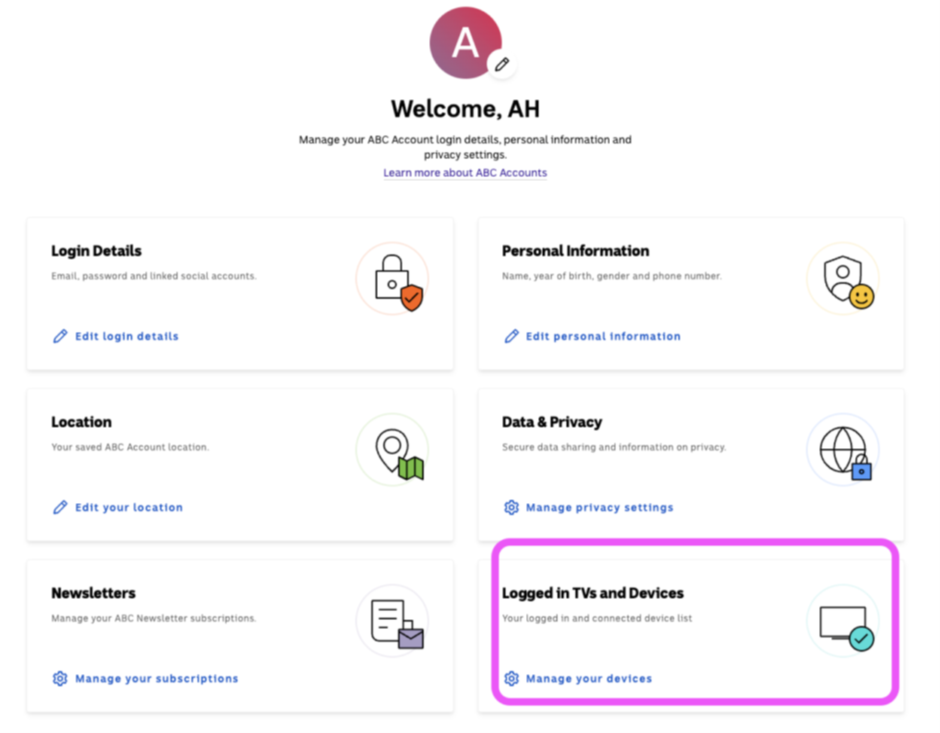
If customers need to unlink their iQ from the ABC iView app, customers will need to log into their ABC Account online at abc.net.au/myaccount.
1. Click on ‘Manage My Account’.
2. Select ‘Logged in TVs and Devices’
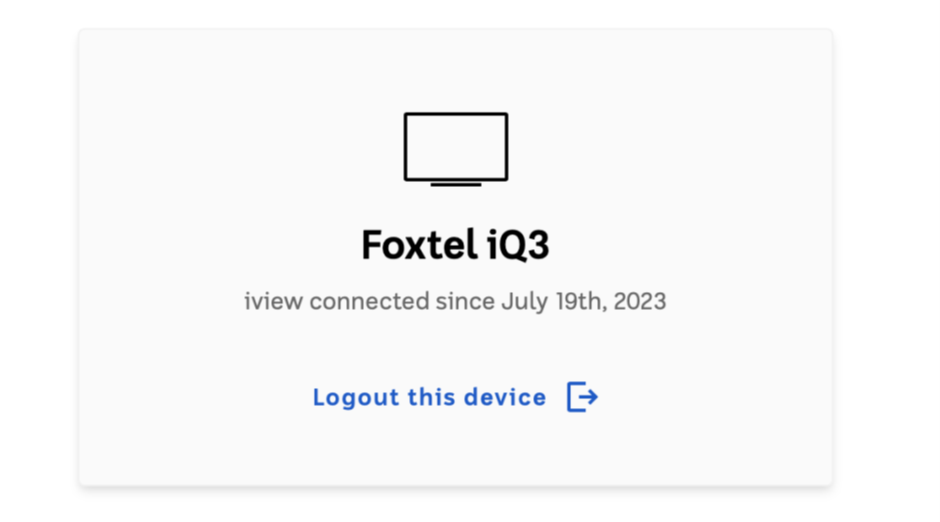
3. Locate the iQ device in the list, then select 'Logout this device'
Online screenshot of Manage My Account
Top
Online screenshot of Logout this device selection
5. Where can customers go if they need additional support?
If customers need additional support regarding creating or logging into an ABC account, customers can head to iviewsupport.abc.net.au for more assistance.
Top
Top
3. What will customers need to do differently after this change?
To get started customers can head online at abc.net.au/linktv then follow the prompts to create or log into an existing ABC account. Alternatively, open the ABC iView App on the Foxtel box, then scan the QR code with a phone to head to the ABC Log in/Sign-up page, then follow the prompts to create or log into an existing ABC account.
ABC iView App QR code link tv page on the iQ Box
Top
4. How do customers unlink their iQ from the ABC iView app?
If customers need to unlink their iQ from the ABC iView app, customers will need to log into their ABC Account online at abc.net.au/myaccount.
1. Click on ‘Manage My Account’.
2. Select ‘Logged in TVs and Devices’
3. Locate the iQ device in the list, then select 'Logout this device'
Online screenshot of Manage My Account
Top
Online screenshot of Logout this device selection
5. Where can customers go if they need additional support?
If customers need additional support regarding creating or logging into an ABC account, customers can head to iviewsupport.abc.net.au for more assistance.
Top