Rebooting the box and refreshing the HDMI cables will refresh the connection between the Foxtel box and your sound system.
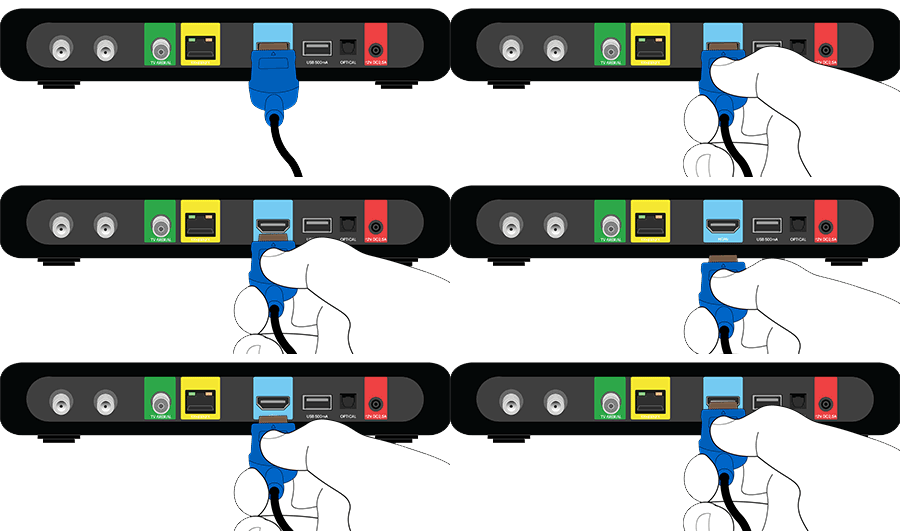
Note: Your box may look different to the above.
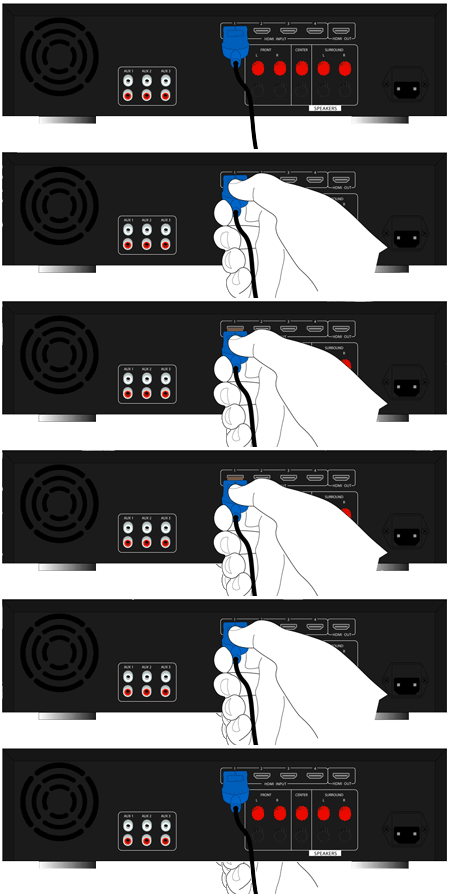
Sound system:
- Find the power point the Foxtel box is plugged into and turn it off at the wall.
- Refresh the HDMI cable by:
- unplugging it from the back of the Foxtel box and plugging it back in.
- unplugging it from the back of your sound system and plugging it back in.
Box:
Note: Your box may look different to the above.
Sound system:
- Turn the power point back on to reboot the box.
Note: The power light should turn blue once the box has rebooted. - If the power light stays red, turn your box on by pressing the button on the front panel.